ছবি থেকে লেখা — JPG to Bangla text
JPG, photo & screenshot to Bangla text
Turn a JPG, a phone photo or a screenshot into Bangla (Bengali) text you can copy, edit and share. Works with WhatsApp and Facebook images, PNG and WebP — free, right in your browser.
Drop a scan, photo or PDF — or click to browse
JPG · PNG · WebP · PDF
Free: 2 pages a day, files up to 15 MB
Free account: 30 pages a day, files up to 25 MB
Real example: screenshot to Bangla text
A chat screenshot, converted by the live tool — output shown exactly as returned
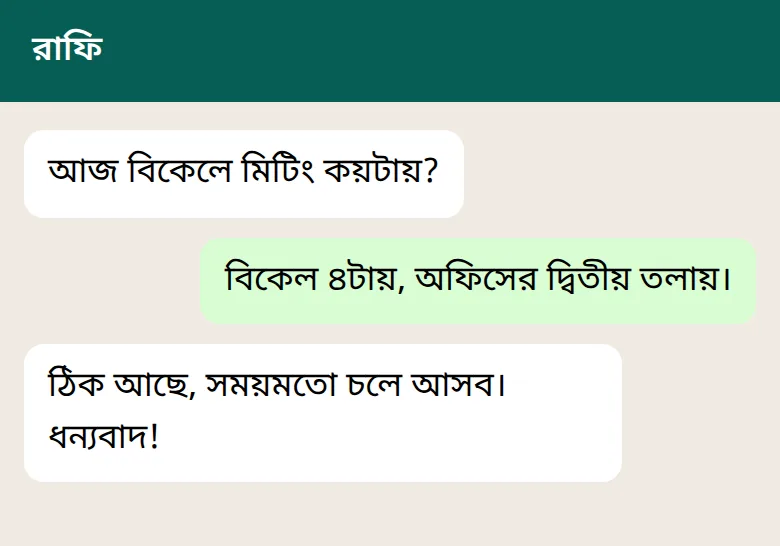
রাফি
আজ বিকেলে মিটিং কয়টায়?
বিকেল ৪টায়, অফিসের দ্বিতীয় তলায়।
ঠিক আছে, সময়মতো চলে আসব।
ধন্যবাদ!Which images work?
Phone photos (JPG)
Screenshots (PNG)
WhatsApp & Facebook images
Photo to Bangla text on your phone
Choose the photo
Tap the upload box above and pick a JPG, PNG or screenshot from your gallery.
Crop & rotate
Drag the green handles around the text, and rotate if the photo is sideways.
Copy the text
Press Start OCR, then copy the Bangla text or download it as Word or TXT.
Tips for better photo to Bangla text results
- 💡 Light: daylight or a bright room; avoid your own shadow on the page.
- 📐 Straight on: hold the phone parallel to the page; fix small tilts with the rotate slider.
- 🔍 Close up: fill the frame with text, then crop — bigger letters read better.
- ✍️ Handwriting: photos of handwritten Bangla work too — see Bangla handwriting to text.
Convert a photo to Bangla text
Upload a JPG or screenshot above — your first 2 pages today are free, no sign-up needed.
Frequently Asked Questions
How do I convert a JPG to Bangla text?
Upload the JPG in the tool on this page, crop to the part with text if you like, and press Start OCR. The Bangla text appears in seconds — copy it or download it as TXT or Word.
Can I convert a screenshot to Bangla text?
Yes. Screenshots are usually sharp, so they convert very well. Crop away the status bar and buttons so only the text you need is read.
Does it work on my phone?
Yes. Open banglaocr.com in your phone's browser, tap the upload box and choose a photo or screenshot from your gallery. No app needed.
Can I get the text from a WhatsApp or Facebook image?
Yes. Save the image to your phone, then upload it. These apps compress images, so very small text can come out less accurate — crop to the text to help.
My iPhone photo is HEIC — will it work?
The tool accepts JPG, PNG and WebP. Take a screenshot of the photo, or set your camera to “Most Compatible” so it saves JPG.
Can I convert a photo to Bangla text in Word?
Yes. After OCR, open Download and choose Word (.doc). The file contains the recognized text, ready to edit.
Is it free?
Yes. Your first 2 pages each day need no sign-up; then sign in free (Google or email) for up to 30 pages a day and 25 MB files, free.
More free Bangla & Bengali OCR tools
- Bengali OCR OnlineFree Bengali OCR — Bengali image and PDF to text, printed or handwritten
- Bangla Image to TextJPG, PNG or WebP image of a Bangla/Bengali document to editable text
- Bangla PDF to TextScanned Bangla/Bengali PDF pages to editable, searchable text
- Bangla PDF to WordScanned Bangla/Bengali PDF page to an editable Word (.doc) file
- Bangla Handwriting to TextHandwritten Bangla/Bengali to text (handwriting OCR / ICR)
- Bangla Form OCRFilled-in printed or handwritten Bangla forms to editable text
- Mixed Bangla-English OCRPages mixing Bangla and English read in one pass
Related guides: ছবি থেকে বাংলা লেখা বের করার সবচেয়ে সহজ উপায়